Top 8 Apps to Stop Binge Watching in 2026
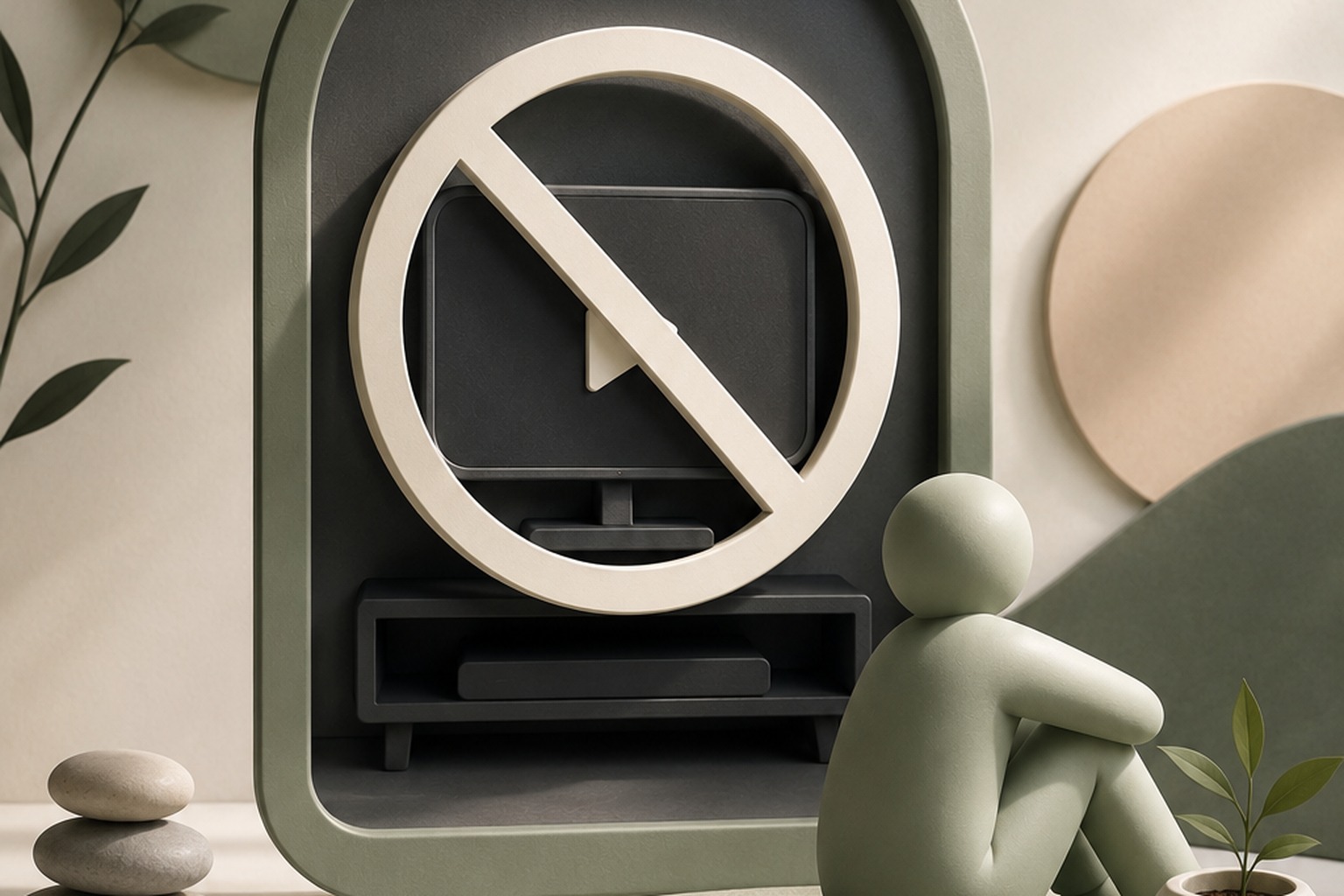
The next-episode button fires 15 seconds after the credits, and every major streaming platform does it. Ending an episode used to be the natural exit point for a viewer. The platforms spent years quietly engineering that exit shut. So the midnight willpower battle was already lost before it even started - you never really got a chance to stop. What the apps below do is hand that moment back to you. A few catch you before you even open the app. Others step in right as autoplay would've taken over. One just blocks the whole thing once the clock says you should be asleep.
Quick comparison
| App | Best for | Price | Platform |
|---|---|---|---|
 HabitIt HabitIt |
AI builds your plan and recalibrates when you slip with automatic pattern detection | Freemium | iOS & Android |
 Screen Time (iOS) Screen Time (iOS) |
Built-in app and website time limits | Free | iOS |
 Digital Wellbeing Digital Wellbeing |
Built-in daily app usage caps | Free | Android |
 Opal Opal |
Scheduled hard blocks on streaming apps | Freemium | iOS & Android |
 One Sec One Sec |
Forced pause before opening Netflix/YouTube | Freemium | iOS & Android |
 Freedom Freedom |
Multi-device blocking including smart TV browsers | $8.99/mo (~$3.33/mo annual) | Both + Web |
 Forest Forest |
Focus timer with visual accountability | $3.99 iOS (free Android) | iOS & Android |
 Clearspace Clearspace |
Intent-based app friction for streaming | Freemium | iOS |
How we compared these
We checked each app's current App Store or Google Play listing in July 2026 for price, platform, and free-tier limits, then sorted them by where in the binge cycle they actually intervene: before you open the app, at the moment autoplay would otherwise take over, or on the platform itself across every device you own. Prices and free tiers change often, so verify before you pay.
The list
1. HabitIt
HabitIt treats binge watching as a reduction problem. You pick a daily streaming hours target - 4 hours today stepping down to 1 hour over 21 days - and log against it. When Wednesday goes over, Thursday's target adjusts. No zeroed streak, no week declared a failure - the plan recalibrates instead of resetting, and that one difference is what makes a 21-day reduction plan finishable. The daily target also creates a decision moment you wouldn't otherwise have: you open the app at 9pm, see you've already hit today's hours, and that's a different conversation than a retrospective report showing five hours after the fact. Build a streaming reduction plan here in about ten seconds, free.
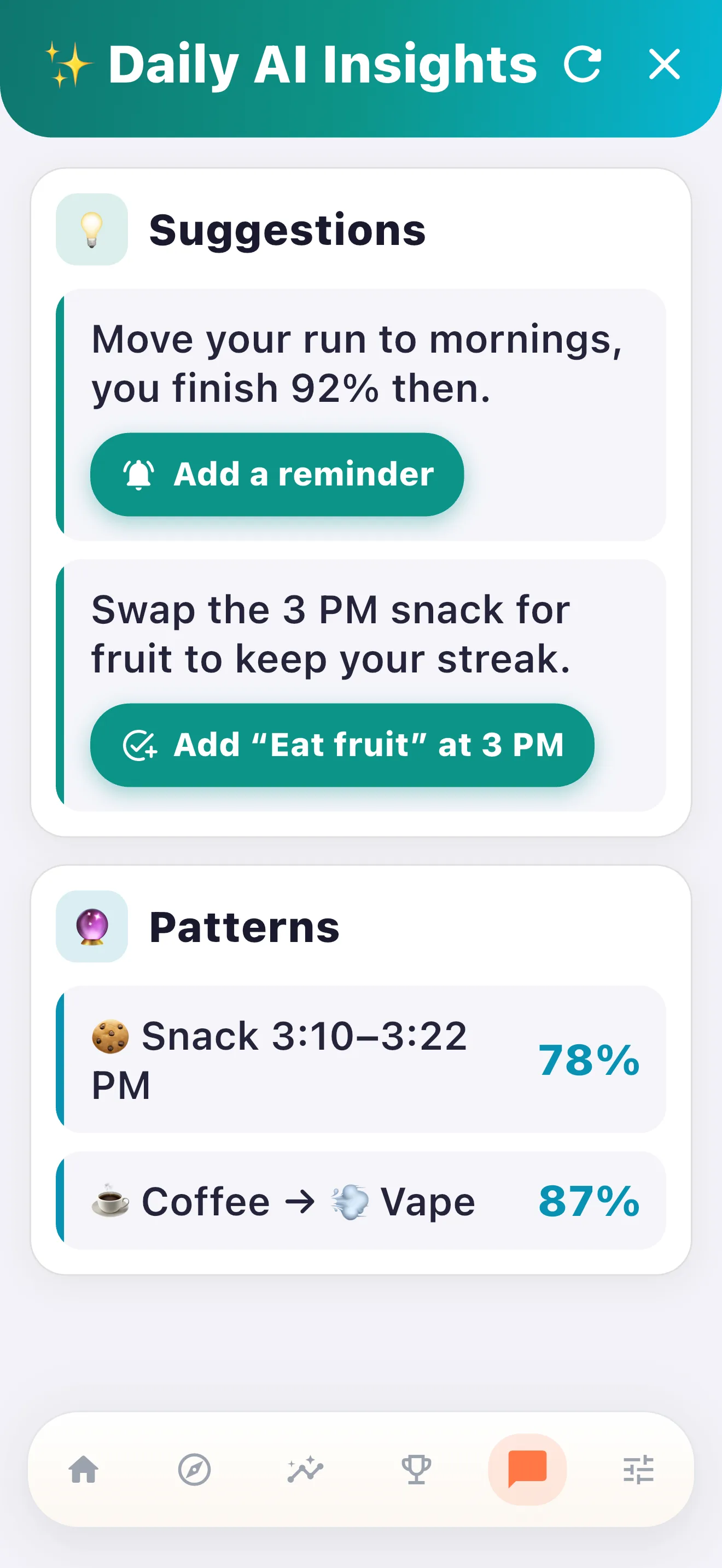
Binge sessions have timing patterns you don't really notice until a few weeks of data sits in front of you. Sunday nights tend to run long. Fridays are where the "just one episode" plan quietly becomes four. When those show up often enough in the log, the AI names the pattern for you - your overruns land almost entirely on Sundays and Fridays after 10pm, say. That's a lot more useful than a vague sense that you watch too much. It's one specific night and one specific hour to actually plan around.
2. Screen Time (iOS)
Built into every iPhone, so no download and no cost. You set per-app daily limits on each streaming app individually, or lump them into one category limit. When the limit hits, the app icon greys out with a lock overlay. One more tap to ignore it for today. That one tap is the whole mechanism. The autoplay loop works because there's no decision point; Screen Time inserts one. A soft wall, not a hard block. For a lot of binge sessions, the soft wall is enough. Worth trying before adding anything else to your phone.
3. Digital Wellbeing (Android)
Google's equivalent to Screen Time, built right into Android. There's a per-app timer, a dashboard of daily usage across everything on your phone, and a "wind down" mode that greyscales the screen after whatever hour you pick. Set the Netflix timer to 90 minutes and continuing past it takes an active choice - exactly the decision point the platforms are designed to remove. The dashboard on its own can do a lot of the work too. Seeing "4.5 hours on streaming apps, Tuesday" tends to sting in a useful way, no blocking required. Free, and it's already sitting on your phone.
4. Opal
Opal is harder to override than the native tools, which is the reason it makes the list separately. The native Screen Time and Digital Wellbeing limits have that "ignore for today" escape hatch; Opal's focus sessions require you to actively break a commitment you made earlier in the day. You set a session - no streaming apps after 10pm - and breaking it requires going into settings, which is enough friction that most impulsive overrides don't happen. Good for people who know they need a harder stop than a soft grey-out. Paid for full features; the free trial covers enough to know if the approach fits how you work.
5. One Sec
One Sec intercepts the app open before it loads and shows a 5-second breathing animation with one prompt: why are you opening this? This isn't just a marketing number - a peer-reviewed field study run with the University of Heidelberg and the Max Planck Institute found that about 36% of the time people tried to open a target app, they closed it again once One Sec stepped in.[1] Nothing gets blocked, and you can still go watch. But the open happened on purpose, which for an autopilot binge covers most of the actual problem. The product does one thing, and it does it well.
6. Freedom
Freedom's whole pitch is cross-device blocking. Set a session and it blocks Netflix everywhere at once - phone, laptop, tablet, whatever's in reach. That matters because binge watching migrates. You hit your phone limit and just open the laptop instead, and Freedom is built specifically to close that escape route. Schedule a block from 10pm to 7am and every screen in the house runs on the same restriction, browser tabs included. It's also the most expensive thing on this list - $8.99/mo month-to-month, though the annual plan works out to a third of that. Worth it if phone-only blockers keep working fine during the day and falling apart on the laptop at night; that gap is exactly what Freedom's sync is built to close.
7. Forest
Forest grows a virtual tree when your phone stays idle during a session you defined. You start a Forest session before the evening, set it for the hours you want to stay off streaming apps, and the tree grows as long as you don't break the session. If you open Netflix before the session ends, the tree dies. The mechanism is a commitment device with some positive reinforcement layered on top - no blocking involved. It works best as a time-bounded intervention: protect the first two hours of the evening, before you've decided what you want to do with it, and leave the rest of the night alone. The visual of a dead tree is small but it hits differently than an abstract screen time number.
8. Clearspace
Clearspace sits between the full blockers and the passive trackers. It shows you a usage summary and inserts a reflection prompt before a streaming app opens - something like "you've opened Netflix 7 times today, for a total of 3 hours" - before letting you proceed or close. Nothing gets stopped here - a mirror gets held up for two seconds, and then you decide. The approach builds awareness gradually, without ever hitting you with a hard block, which is specifically useful for people who find hard blockers create enough resistance that they remove the app or find workarounds. If confrontational blocking has failed for you before, Clearspace is worth trying as a softer entry point to the habit change.
- Best daily-hours reduction plan: HabitIt
- Best free, already on your phone: Screen Time / Digital Wellbeing
- Best hard scheduled block: Opal
- Best pre-open pause: One Sec
- Best cross-device blocking: Freedom
- Best gentle commitment device: Forest
- Best soft, awareness-first nudge: Clearspace
How to break the autoplay loop without going cold turkey
The autoplay binge really has three points where you can step in, and which one you pick matters. Before the session even starts, a blocker or a commitment device works - Forest or Opal, say, or a Freedom session you scheduled the night before. Between episodes is the point almost every plan skips, which is a shame, since the 15-second autoplay countdown is the only real decision point the platform hands you, and it was built to be ignored. The strongest move there is just disabling autoplay in your account settings. Netflix has the option. So does Hulu. So does Prime. It's buried in playback settings on all of them, and once it's off, stopping after an episode stops being an argument you have to win.
After the show ends is where the binge decision actually forms - the "just one more" moment lives in the 30 seconds after the credits roll. If you've finished something and the next episode hasn't started, closing the app is easy. Blocking the platform for the rest of the night after a certain hour handles this window better than any episode-level intervention.
Blocking the whole platform entirely usually works less well than adding friction at the episode boundary. Cold turkey on Netflix gets bypassed - you find a workaround, or you drift to a different platform and call it a loophole. A 90-minute per-day limit with autoplay disabled and a 10pm platform block is harder to route around than a complete ban that creates intense restriction pressure. Set a realistic daily limit, where realistic means something you can actually hit for the next three days. The month will take care of itself. The doomscrolling reduction post covers the same friction logic for social media if that's where binge watching spills over. For the evening hours specifically, replacing the screen with reading before bed is the same-slot swap that tends to stick best.
By the time someone goes looking for the best app to stop binge watching, motivation has usually been tried already and it didn't hold past the first week. Fair enough - willpower is a crappy tool against an autoplay algorithm that's been optimized for years. None of the apps above ask you to out-motivate the platforms. They just shift the structural advantage slightly back in your direction.
What actually goes wrong
Setting a 2-hour limit when your sessions are currently 4+ hours. A 50% cut overnight is the same mistake as going cold turkey on sugar - the behavior gap is too large to maintain and you'll override the limit inside a week. Start with 3 hours if you're currently at 4, or 3.5. A limit you respect is more useful than an aspirational limit you override daily while feeling bad about it.
Blocking Netflix without lining up something else for the evening. A binge eats 2 to 4 hours of your night. Block it with nothing else planned, and that time just gets swallowed by a different streaming app or by your phone instead. Line up the replacement before you set the block - a specific book works, so does a walk, so does a podcast you actually want to hear. It doesn't need to be productive. It just needs to be something you picked on purpose before the evening arrived.
Using only a tracker (no friction) expecting the data to change behavior. Seeing that you watched 4.3 hours on Thursday is interesting. It rarely changes Friday. Data without a behavior target is journalism, so add the daily limit or the episode-boundary block and give the numbers something to push against.
Blocking on phone but not laptop where the real binge happens. For a lot of people the phone binge is 20 minutes and the laptop binge is 3 hours. If you're blocking Netflix on iOS and calling it done, check your laptop watch time first. Freedom's cross-device sync and browser-level blocking are specifically for this pattern. A phone-only block that leaves the laptop open is less useful than no block at all if the laptop is where the actual sessions live.
Citations
- Grüning, D.J., Riedel, F., & Lorenz-Spreen, P., "Directing smartphone use through the self-nudge app one sec," PNAS 120(8) (2023), a field study with the University of Heidelberg and the Max Planck Institute. Read the study ↗
Build your 21-day stop binge watching plan today
Free 3-day trial of all features. After that the free tier covers the reduction tracking. No subscription required.

Get the Free Stop Binge Watching Plan
Drop your email and we'll send a printable plan you can fill in and track. Occasional updates (max 1 per 2 weeks).
Success! Now check your email to confirm your subscription.
We respect your privacy. Unsubscribe at any time.